Luma View Live View is Not Loading
1. When in Live View tap on the square icon in the top left corner of the Luma View app:

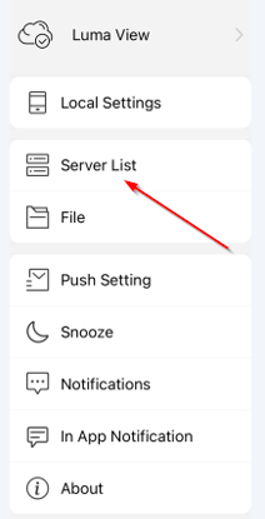
2. Tap on Server List:
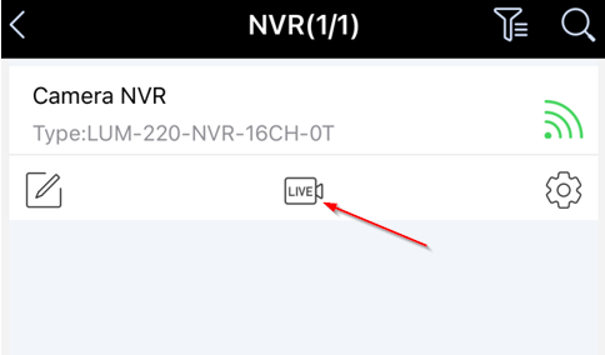
3. The NVR(s) will appear that are available to you. Tap the LIVE icon and this will provide you with a live view of all the cameras:
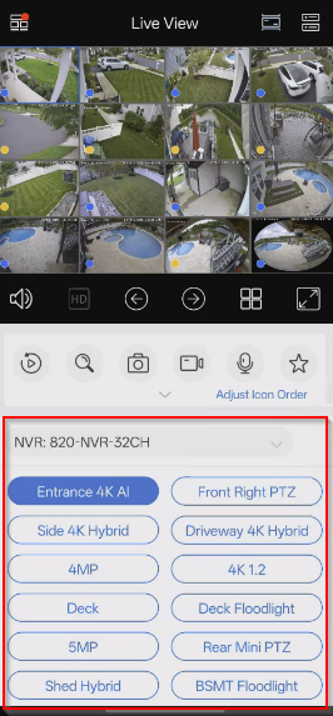
4. Once in Live View the cameras should load and towards the bottom it should have a drop-down arrow. If tapping on that it will show all available cameras:
Was this article helpful?
That’s Great!
Thank you for your feedback
Sorry! We couldn't be helpful
Thank you for your feedback
Feedback sent
We appreciate your effort and will try to fix the article