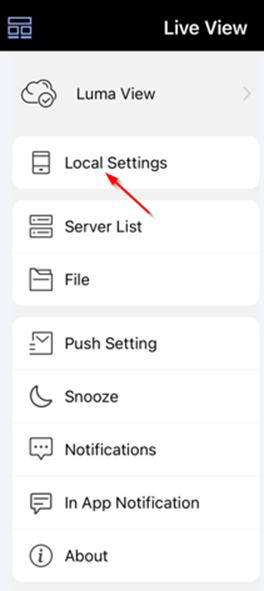
Step 1: Press top left button in Live View:

Step 2: Tap Local Settings:
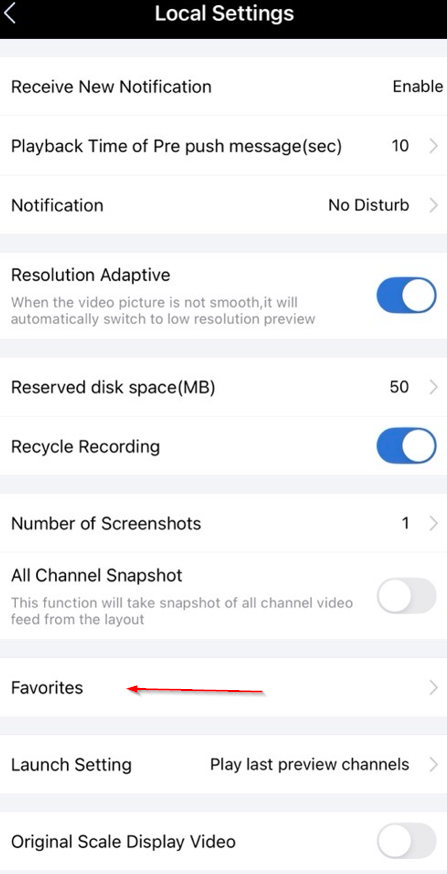
Step 3: Tap Favorites:
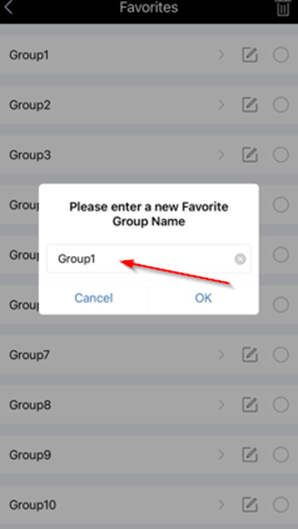
Step 4: Type the new name and tap OK:
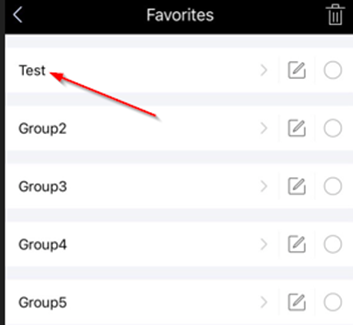
Step 5: It will now be renamed:
Was this article helpful?
That’s Great!
Thank you for your feedback
Sorry! We couldn't be helpful
Thank you for your feedback
Feedback sent
We appreciate your effort and will try to fix the article