Step 1: Tap the 3 lines in the top left corner:
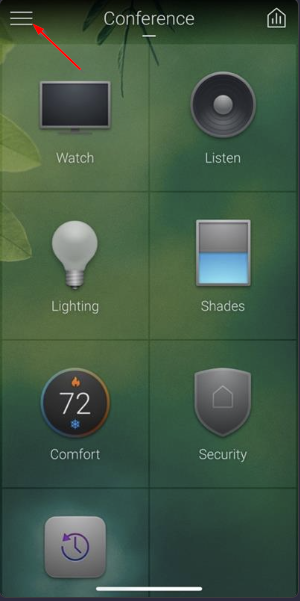
Step 2: Tap the gear icon in the bottom left corner.
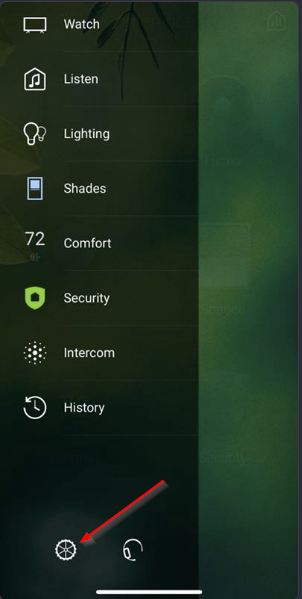
Step 3: Tap Account & Services:
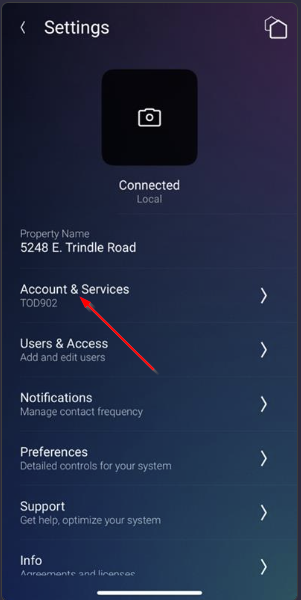
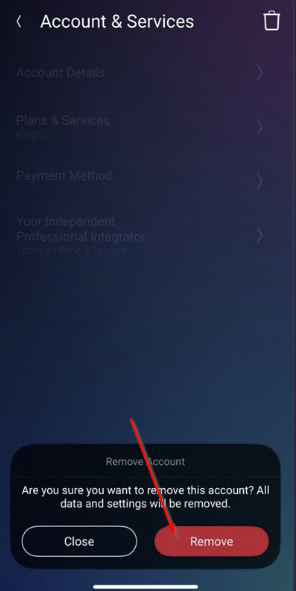
Step 4: Tap the Trash Can in the top right corner.
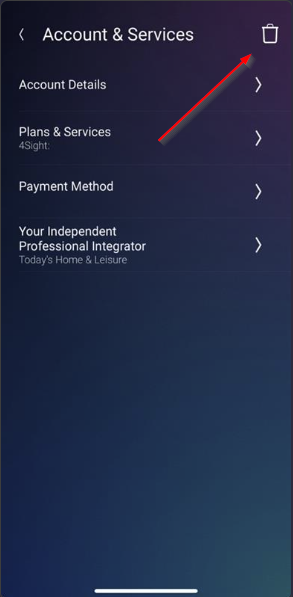
Step 5: Tap Remove.
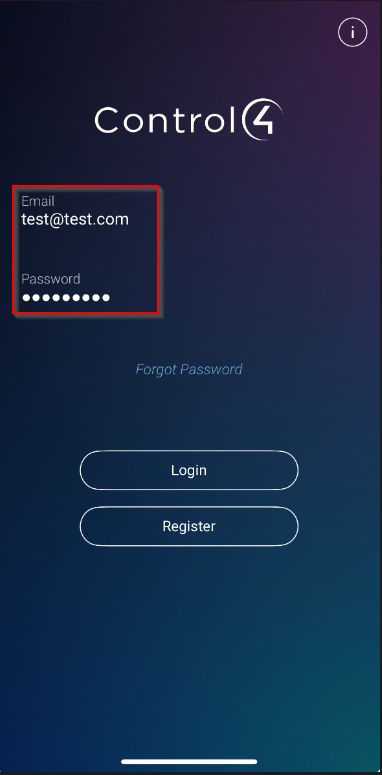
Step 6: Enter your email and password credentials for customer.control4.com.
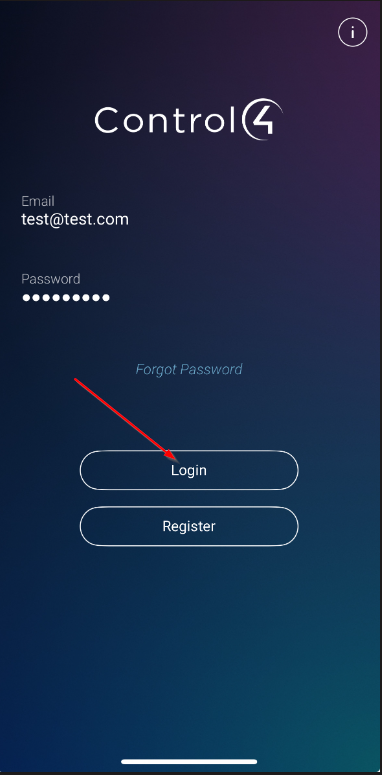
Step 7: Tap Login. If you are unsure of your credentials, click forgot password. Here is a link to an article if you are unable to login to the Control 4 app:
https://support-thlproducts.freshdesk.com/a/solutions/articles/73000605201
Was this article helpful?
That’s Great!
Thank you for your feedback
Sorry! We couldn't be helpful
Thank you for your feedback
Feedback sent
We appreciate your effort and will try to fix the article