The Control4 system and device using Spotify must be on the same network
Step 1: Within the Control4 app select Listen and choose Spotify.
Step 2: Open the Spotify app on your phone, tablet or laptop.
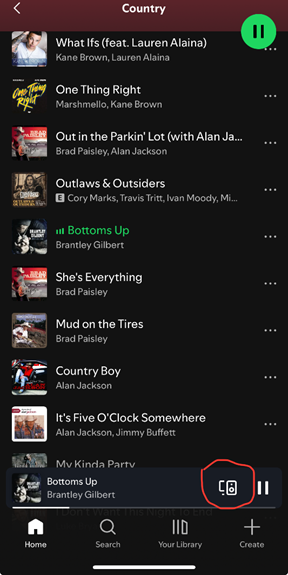
Step 3: Select whatever you want to play from Spotify. Then select Devices Available.
Step 4: Select Spotify. It should now stream the Spotify audio in that room.

Was this article helpful?
That’s Great!
Thank you for your feedback
Sorry! We couldn't be helpful
Thank you for your feedback
Feedback sent
We appreciate your effort and will try to fix the article